Martindale-Avvo Leads Manager: How To Add/Update Payment
Thank you for choosing Martindale-Avvo to support your legal practice. In this video, you will learn how to add and edit a payment method on your account. First sign into Leads Manager and scroll down to your LeadVantage tab.
Select the payments button. Once you are in the payments tab, you can find everything you need, including your payment history scheduled, upcoming payments, and which credit cards are on file for your account. You can add multiple cards to your payment portfolio. To add a new credit card, select the plus sign in the top right hand corner that’s labeled. Add new credit card. Add your card details in the popup window.
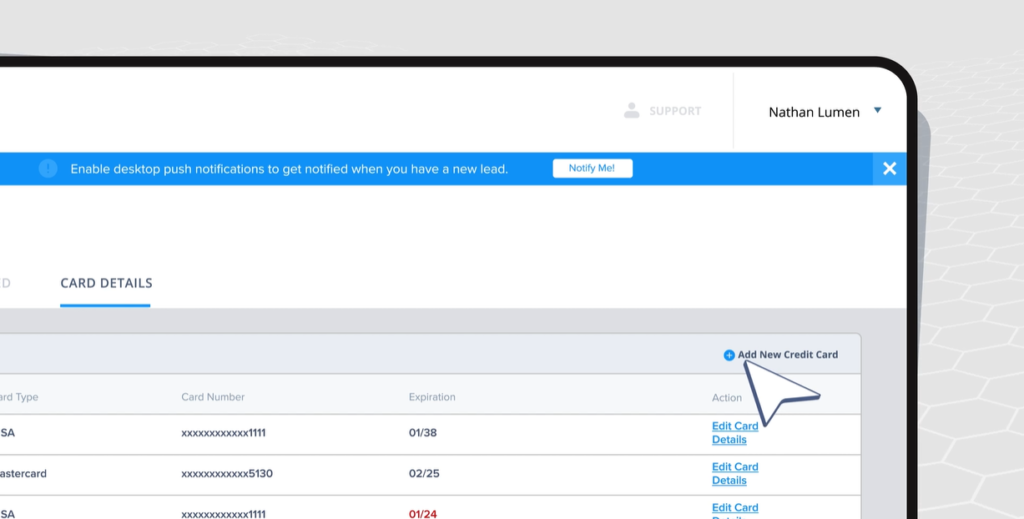
Hit save once you’ve been put all relevant payment and billing information. Once you finish adding your new card, select Mark primary to set it as the main card to be used during purchases.

If you want to edit the banking information for a preexisting card on file, simply click edit card details to the right of your selection.
Thank you for choosing Martindale-Avvo to support your legal practice. We are glad to have you here.